
Prerequisite for User creation in EPG+ (Payment Hub)
- Make sure the user details are complete in the onboarding form

- Make sure Merchant Profile and Payment Profile has been created accordingly in EPG+
- Confirm that the User Role are correct. *Operator Role will be mandatory for any merchant that using Payment Link*
Follow the steps below to create the User Profile for merchant accordingly:
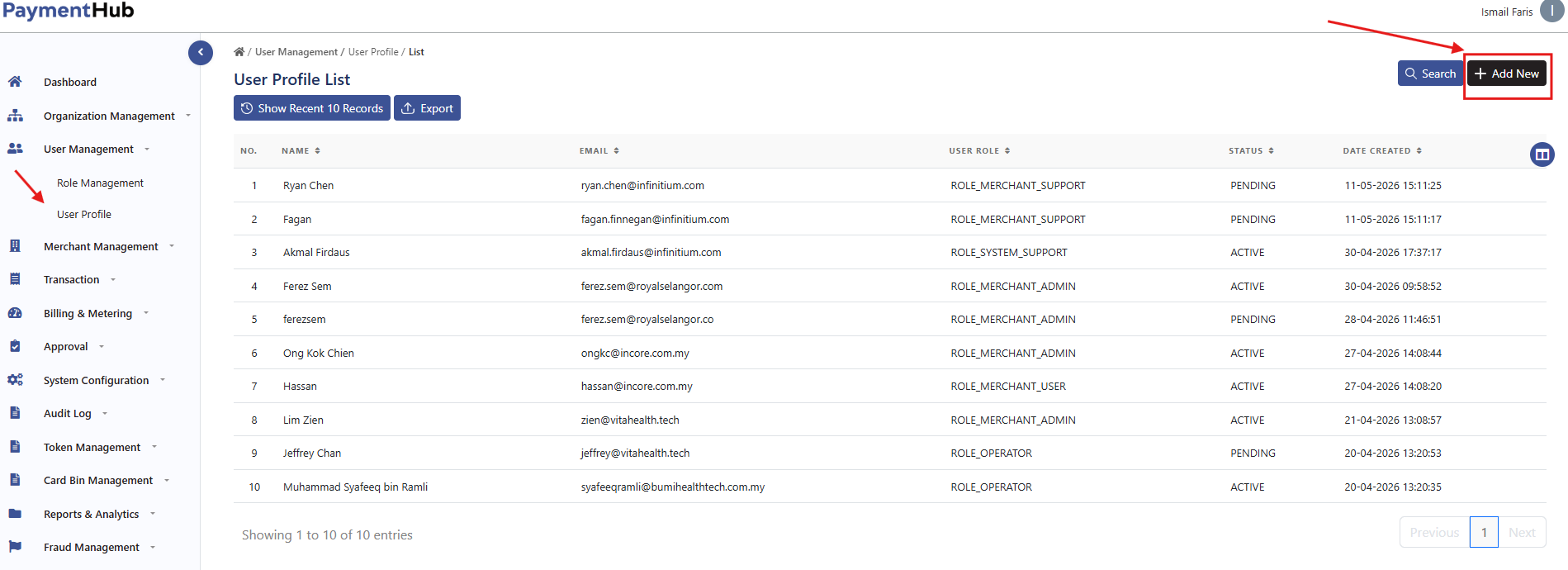
- Login to EPG+ CMS, navigate to User Management > User Profile > Add New
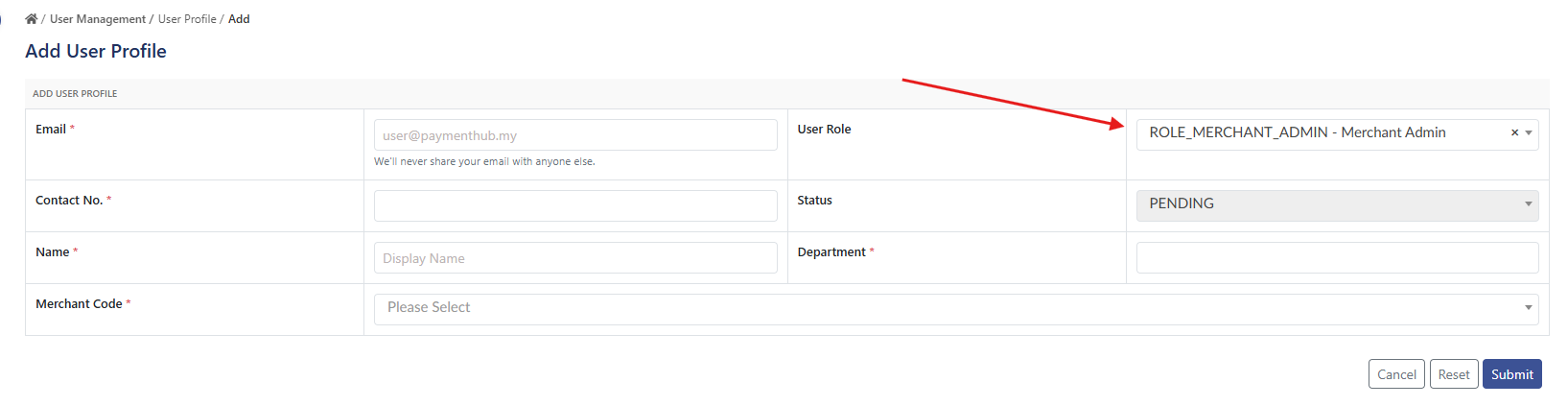
- Select the User Role and fill up the necessary details from the onboarding form
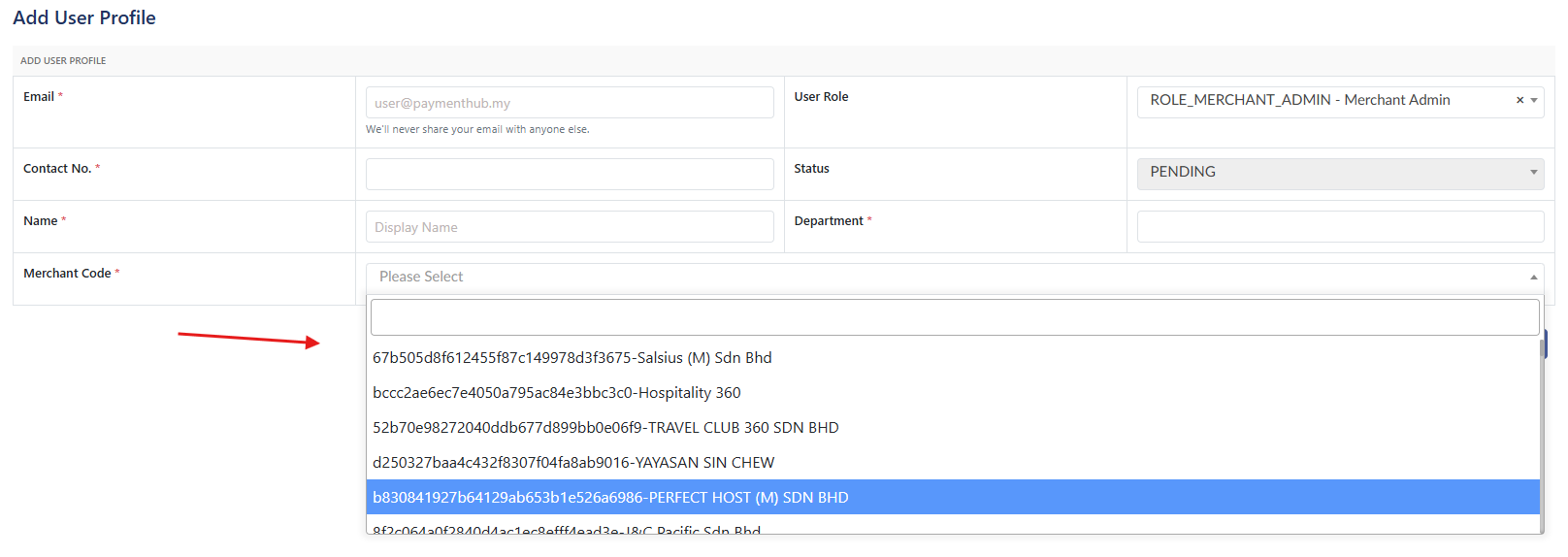
- Select the correct Merchant Code and CSS can proceed with submission request
- CSS will need to ask for approval in Teams Group - Approval CSS Digital Payment
- The user will be notified via email address to complete the user creation process.
*Take Note*
- One email address can be registered to only one user profile. Existing email cannot be used to create another user profile
- User profile creation involving Main Merchant and Sub-Merchant will need confirmation which profile the user will have access to
Sample: